
DesignaKnit Software for Knitters
- Design garments to your exact measurements
- Create and edit stitch patterns
- Generate knitting instructions automatically
Not sure which version you need? Compare
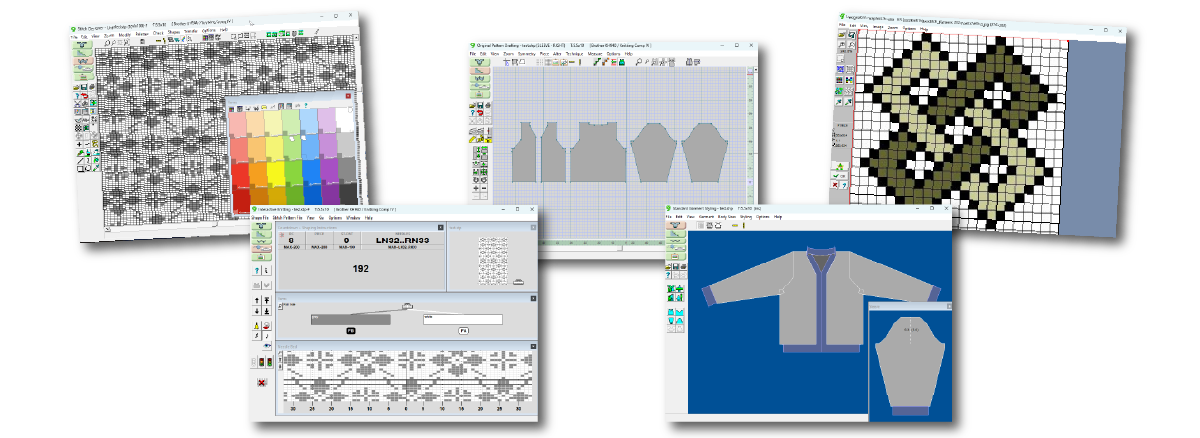
Used by machine knitters around the world for over 20 years.
Is DesignaKnit the Right Tool for Your Knitting?
- Design sweaters and garments to your measurements
- Create and edit stitch patterns
- Generate knitting instructions automatically
- Convert ideas into real knitting patterns
- Visualize garments before you knit them
You don't have to solve all the knitting math yourself.
Could DesignaKnit Help You?
A quick overview of what DesignaKnit can help you do. (3 minutes)
DesignaKnit helps machine knitters take more control over their knitting projects.
Whether you are designing your own garments, working with stitch patterns, or generating clear shaping instructions, DesignaKnit helps you turn your ideas into knit-ready instructions.
It's especially helpful if you want to:
- design garments that fit your measurements
- experiment with stitch patterns before knitting
- generate shaping instructions without doing all the math
- create patterns you can reuse with different yarns and gauges
DesignaKnit gives you the tools to plan your knitting with confidence.
Choose Your Path
Common Questions About DesignaKnit
Here are answers to a few of the most common questions machine knitters have about DesignaKnit.
- Do I need an electronic knitting machine to use DesignaKnit?
-
No. DesignaKnit can be used with any knitting machine.
Even if your machine is manual or punchcard-based, DesignaKnit can still help you design garments, generate shaping instructions, and create stitch patterns.
Electronic machines allow patterns to be downloaded directly, but many machine knitters successfully use DesignaKnit with manual machines by following the instructions and charts it generates.
- Which version do most machine knitters choose?
- Machine Pro is the most common choice because it includes the tools needed for most garment design and stitch pattern work.
- Can I upgrade later?
- Yes. If you decide you want more DesignaKnit features later, upgrade options are available.
- Is DesignaKnit difficult to learn?
-
DesignaKnit is a powerful program, so there is a learning curve. But you don't need to master everything at once.
Most knitters begin by using just one or two tools, such as generating garment instructions or creating simple stitch patterns. As you become more comfortable, you can explore additional features when you need them.
The goal isn't to learn every part of the software — it's to use the tools that help you get your knitting done.
How Your Purchase Works
Step 1 — Payment Confirmation
After checkout, Stripe immediately sends a payment receipt to the email address you entered.
Step 2 — License Processing
Your DesignaKnit license number is created manually by our team. This usually arrives by email within 1–2 business days.
Step 3 — Download & Install
Your license email includes the download link and instructions to install and activate your copy of DesignaKnit.
If you don't see the license email after two business days, please check your spam folder or contact us.
Sales on this site are for U.S. and Canada only. Not in the U.S. or Canada?
Still Deciding?
Compare the DesignaKnit versions to see which one fits how you knit.
Compare Versions